
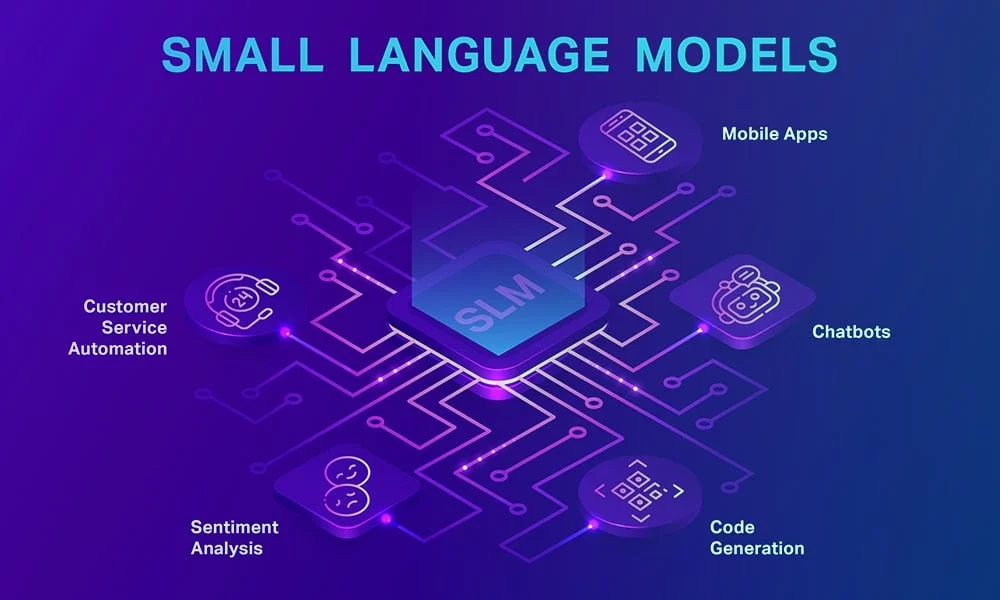
 Small Language Models (SLMs) have emerged as a compelling alternative to large-scale language models, offering high performance with reduced resource demands. This article explores what SLMs are, their practical applications, and how to fine-tune them for specific tasks, providing a valuable resource for organizations looking to leverage these models.
What Are Small Language Models (SLMs)?
Small Language Models are compact, lightweight AI models designed to perform natural language processing (NLP) tasks with fewer parameters than their larger counterparts, such as GPT-4 or LLaMA. Typically ranging from a few million to a few billion parameters, SLMs are optimized for efficiency while maintaining robust language understanding and generation capabilities.Unlike large language models (LLMs), which require significant computational resources and energy, SLMs are designed to run on resource-constrained environments, such as edge devices, mobile phones, or standard servers. They achieve this through techniques like model pruning, quantization, and knowledge distillation, where a smaller model is trained to replicate the performance of a larger one.Key characteristics of SLMs include:- Efficiency: Lower memory and compute requirements, enabling deployment on devices with limited hardware.
- Speed: Faster inference times, ideal for real-time applications.
- Cost-Effectiveness: Reduced operational costs for training and deployment.
- Specialization: High performance in targeted tasks when fine-tuned.
Where Can SLMs Be Useful?
SLMs are versatile and can be applied across industries where efficiency, cost, and performance are critical. Their compact size and adaptability make them suitable for a range of use cases, including:a. Edge and IoT DevicesSLMs are ideal for deployment on edge devices like smart speakers, wearables, and IoT sensors, where computational resources are limited. For example, they can power voice assistants or real-time text analysis in smart home systems, enabling offline functionality and reducing latency.b. Customer Support AutomationBusinesses can use SLMs to build chatbots and virtual assistants for customer service. These models can handle tasks like answering FAQs, processing customer queries, or routing issues to human agents, all while running on cost-effective infrastructure.c. Mobile ApplicationsSLMs enable on-device NLP capabilities in mobile apps, such as real-time translation, sentiment analysis, or predictive text input. By processing data locally, they enhance privacy and reduce reliance on cloud servers.d. Industry-Specific ApplicationsSLMs can be fine-tuned for domain-specific tasks, such as:- Healthcare: Analyzing patient records or powering medical chatbots with privacy-compliant, on-device processing.
- Finance: Detecting fraud or generating concise reports from financial data.
- Retail: Personalizing product recommendations or analyzing customer feedback in real time.
How to Fine-Tune Small Language Models
Fine-tuning adapts a pre-trained SLM to excel at specific tasks, such as function-calling or domain-specific NLP, by training it on curated datasets. Drawing on practical insights, this section outlines a streamlined process for fine-tuning SLMs, emphasizing efficiency and function-calling applications.Step 1: Define Your Goal and Gather Data- Choose the Task: Decide what the SLM should do, such as analyzing customer feedback (text classification), generating responses for a chatbot, or calling APIs for stock price lookups (function-calling). Clearly defining the task guides the entire process.
- Collect a Dataset: Gather a small, high-quality dataset specific to your task. For example, use 1,000–10,000 customer support emails for a chatbot or a dataset like glaiveai/glaive-function-calling-v2 for function-calling tasks. Quality matters more than quantity—clean, relevant data leads to better results.
- Prepare the Data: Remove errors, duplicates, or irrelevant text. Organize the data into three parts: training (70–80%), validation (10–15%), and test (10–15%). For example, format customer queries as question-answer pairs or function-calling data as user prompts with expected API outputs.
- Select a pre-trained SLM that fits your task and hardware. Popular choices include:
- Phi-3-mini: Great for function-calling or edge devices.
- DistilBERT: Ideal for text classification tasks like sentiment analysis.
- MobileBERT: Designed for mobile or low-power devices.
- Use platforms like Hugging Face’s Model Hub to find models. Choose a smaller model (under 4 billion parameters) if deploying on edge devices like smartphones or IoT sensors.
- Hardware: A standard laptop or cloud server with a GPU (e.g., NVIDIA A100 via AWS or Google Colab) speeds up training, but many SLMs can be fine-tuned on a CPU for small datasets.
- Software: Install free, user-friendly tools to simplify the process:
- Hugging Face Transformers: For loading and training models.
- PyTorch or TensorFlow: For running the model.
- Hugging Face Datasets: For managing your data.
- Track Progress: Use tools like Weights & Biases (free tier available) to monitor training and ensure consistent results.
- Load the Model: Use Hugging Face’s tools to load your chosen SLM and its tokenizer, which prepares text for the model.
- Choose a Training Method:
- Full Fine-Tuning: Updates the entire model for maximum accuracy but requires more computing power. Best for large datasets.
- LoRA (Low-Rank Adaptation): Updates only a small part of the model, saving up to 80% of memory and time. Ideal for edge devices or function-calling tasks.
- Set Training Options: Adjust settings like:
- Learning rate: Start with a small value (e.g., 0.00002).
- Batch size: 8–32 examples per training step.
- Epochs: 3–5 rounds of training.
- Optimize Efficiency: Use techniques like mixed-precision training (FP16) to speed up training and save memory, or quantize the model (e.g., to 4-bit) for faster deployment on devices like Raspberry Pi.
- Train for Your Task: For function-calling, teach the model to map queries (e.g., “Find flights to India”) to specific actions (e.g., API calls). For other tasks, train on labeled data (e.g., positive/negative labels for sentiment analysis).
- Check Progress: Monitor performance on the validation set to avoid overtraining, which can make the model less flexible.
- Test the Model: Run the fine-tuned SLM on the test set to measure performance. Use metrics like:
- Accuracy or F1 score for classification tasks.
- Correctness of API calls for function-calling (aim for 85%+ accuracy).
- Fix Issues: If results are poor, try:
- Adding more diverse data (e.g., synthetic data generated by a larger model).
- Adjusting training settings (e.g., lower learning rate).
- Switching to LoRA if using full fine-tuning.
- Iterate: Repeat fine-tuning with small changes until the model performs well.
- Deploy the Model: Integrate the SLM into your application, such as a mobile app or IoT device. Use tools like ONNX or TensorRT to optimize for edge hardware.
- Optimize for Devices: Apply quantization or pruning to shrink the model size, ensuring it runs smoothly on low-power devices.
- Monitor Performance: Track how the model performs in real-world use. For example, check if a chatbot handles new customer queries correctly. Retrain with fresh data if performance drops.